
Third-Party Flow Meter with Hydrawise: Wired or Wireless?
Buying a pulse-output meter and discovering that the proposed wireless link has no documented match is an avoidable procurement mistake. Hydrawise’s custom flow-sensor option does not, by itself, establish compatibility with Hunter’s Wireless HC Flow Communication Kit. Treat direct controller sensor input and a named wireless kit as two separate proposals. Record the exact meter, controller and communication route before placing an order; keep an unsupported pairing on hold.
This guide produces a buyer’s compatibility record, not a wiring procedure or a system approval. It addresses an actual public question about connecting a Rain Bird meter through a Hunter wireless link to Hydrawise because both use pulses. That question identifies uncertainty worth resolving. The replies do not establish that any particular combination works.
Hunter’s named Wireless HC Flow Meter product context. This video does not establish a third-party pairing. Playback has not been manually verified.
Separate the communication route before comparing meters
Start the enquiry with a short description of what connects to what. “Works with Hydrawise” can mean a meter connected to a controller’s supported sensor input, or a meter connected to a transmitter whose receiver connects to the controller. The second route adds an interface. Evidence about the last connection cannot automatically settle the first.
A buyer may already have a preferred meter because its hydraulic range fits the line. Another supplier may recommend a wireless kit because pulling a cable is inconvenient. Both choices can be reasonable starting points, but combining the two quotations creates a new proposal. Name the proposed pairing explicitly and ask who will confirm it. Do not allow separate statements about each product to become an undocumented approval of their combination.
| Proposal | Evidence to obtain | What remains unproved |
|---|---|---|
| Third-party meter to supported controller sensor input | Exact controller instructions, meter output specification and pulse-volume setting | Compatibility with an added wireless transmitter |
| Meter through Wireless HC Flow Communication Kit, WHCFLOW | Published kit compatibility and confirmation of the exact meter/controller combination | Acceptance of an unnamed third-party meter solely because it produces pulses |
| Meter installed in irrigation pipework | Selected meter’s hydraulic and mechanical installation requirements | Electrical input or wireless interoperability |
The table separates purchasing questions. It does not suggest that a mechanically suitable meter should be rejected, or that a control-compatible meter will measure correctly in every location. Each conclusion stays within the interface actually reviewed.
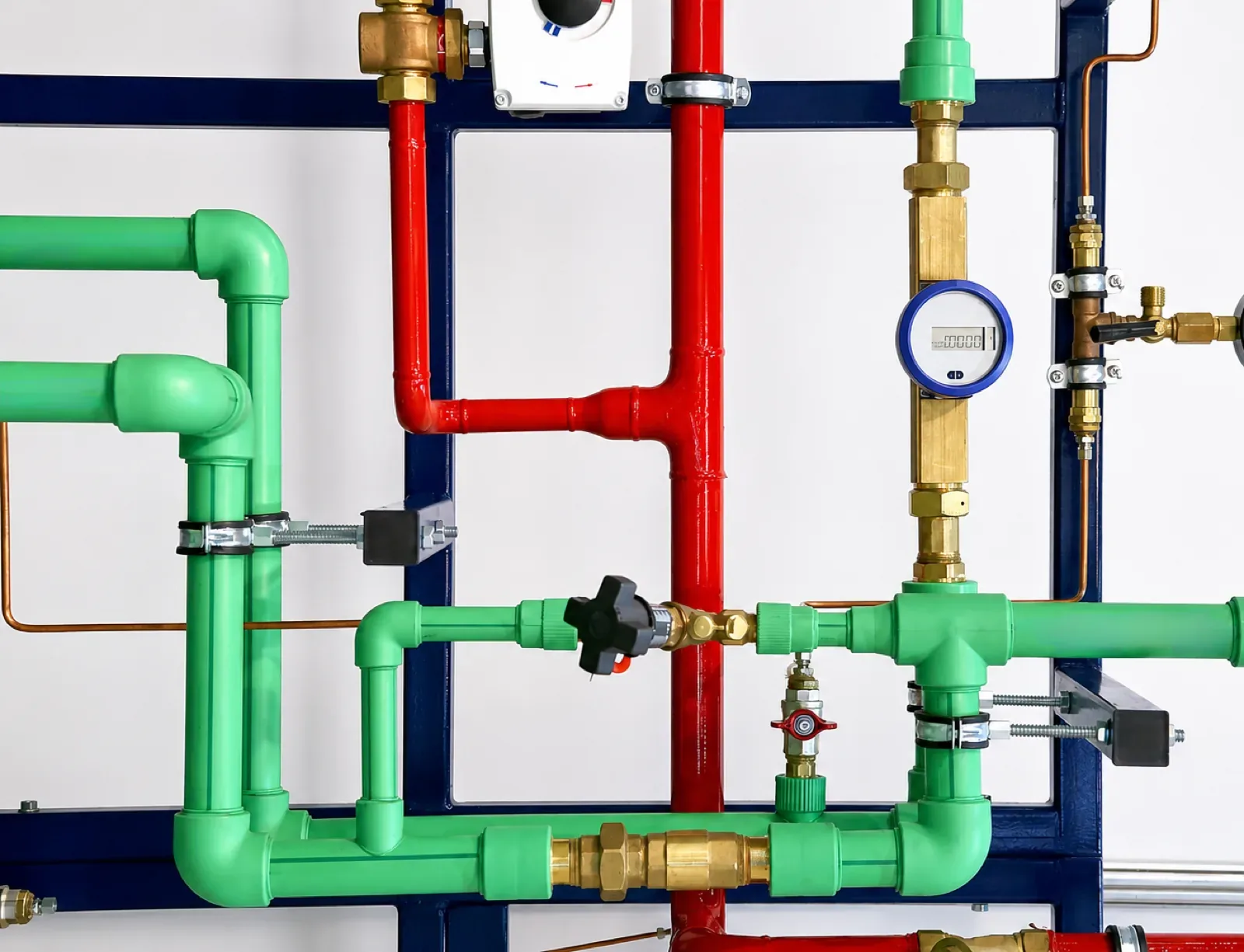
For direct input, request an output specification and a pulse-volume value
Hunter’s Hydrawise sensor guidance describes a custom flow sensor using a true pulse output or reed switch and a manufacturer-supplied litres-per-pulse value. Use that published route as the starting point for a documented enquiry. Confirm the exact controller’s applicable sensor connection and the meter’s output details with the responsible suppliers. The existence of a custom setting is not electrical approval of every device advertised as a pulse meter.
Ask for the output specification of the actual ordered variant, rather than a family brochure. Put the document identifier and relevant output option on the record. Where the supplier’s description leaves the interface unclear, leave it unclear on the purchasing record too. Do not substitute a plausible interpretation and ask the installer to discover whether it works.
Units deserve their own field. A value described as litres per pulse is not interchangeable with a number described as pulses per litre. Nor should a value from a different meter size, output option or regional version be copied into the proposal. Request the manufacturer’s stated value and units together. If either is missing, the scale used to interpret a signal has not been established.
Hunter’s guidance also describes an aim of 10–120 pulses per minute. Preserve that wording: it is a stated aim in this guidance, not a universal hard hardware limit inferred for every controller and intermediary. Compare the proposed operating conditions with the exact applicable instructions and ask the supplier to resolve an uncertain case. This article does not establish a new frequency limit.
For purchasing, the useful result is a list of resolved and unresolved inputs. A complete document pack can be ready for a specialist compatibility review. It is not evidence that a meter has been installed, calibrated or tested on the buyer’s site. No such test is claimed here.
Read WHCFLOW acceptance as a named-system statement
Hunter’s WHC Flow system overview names HC-075-FLOW, HC-100-FLOW, HC-150-FLOW and HC-200-FLOW meters with HC, HPC, Pro-HC and HCC controllers. That published list supplies a concrete comparison for a proposed kit. It does not establish that a different manufacturer’s meter is compatible with the transmitter.
If an enquiry says only “Hunter wireless link,” obtain the part designation before comparing anything. The reader’s informal description may not identify WHCFLOW at all. A statement about the named kit in this article must not be applied to another Hunter communication product simply because its name sounds similar.
For an unlisted meter, write “wireless pairing not established by the cited list.” That is narrower and more useful than asserting either universal incompatibility or universal compatibility. Request written confirmation for the exact meter variant, kit and controller, including the applicable instructions and any stated conditions. If that confirmation is unavailable, keep the proposed wireless combination off the accepted equipment schedule while the design team considers a documented route.
A supplier’s answer should address the added interface directly. Repeating that Hydrawise supports custom sensors answers a different question. Likewise, a drawing showing two wires does not establish that the transmitter interprets the selected meter’s signal correctly. The missing item is evidence of the proposed combination, not another generic statement about pulse technology.
Two completed review records produce different next actions
The following cases are hypothetical document reviews, not commissioned installations. They show how one changed input changes the purchasing decision without inventing a field result.
| Proposal | Recorded evidence, hold and next action |
|---|---|
| Record A — direct input proposed. | The buyer identifies a third-party meter and an exact Hydrawise-enabled controller. The proposed route is direct to the supported sensor input. The meter document identifies its output and pulse-volume value, but the controller-side interface match has not been confirmed. Disposition: HOLD compatibility acceptance for that specific missing match. Next action: send both documents and the route description to the responsible control supplier. Receiving the pulse-volume value closes the scale-information item; it does not close the interface item. |
| Record B — the same meter through WHCFLOW. | Retain the meter identity, but replace the route with the named wireless kit. The third-party meter is not established by the cited kit list. Disposition: HOLD the wireless pairing pending exact-combination confirmation. Next action: ask the kit supplier to address that pairing, rather than reuse the direct-input response. Even a completed direct-input review would not answer this new question. |
Countercheck: replace the proposed third-party meter with a meter actually named in the kit’s published list and retain a named controller. The particular “unlisted meter” gap changes. Purchasing can now compare the exact scheduled models with that published combination. Other questions remain: the applicable installation instructions, actual hydraulic duty and site commissioning evidence. A better document match does not turn an uninstalled proposal into a verified operating system.
These records allow partial progress. One option can have a complete document match while another remains unresolved. Keep the two results side by side, with the outstanding evidence and responsible party written down. A single green “compatible” cell hides the route distinction that caused the enquiry.
Send each supplier the question it can answer
Use a compatibility record with these fields: meter manufacturer and exact variant; controller model; proposed communication kit, if any; route description; output specification; manufacturer pulse-volume value and units; relevant document revisions; planned service conditions; unresolved questions; and the party responsible for each response. Attach the actual documents, not just catalogue links that may describe several variants.
The controls supplier should address the input and communication match. The meter supplier should address the selected instrument and its documented application. The pipework supplier can address offered pipe or fitting specifications and mechanical connection information. Do not ask one party’s response to stand in for the other two.
Keep pipe-side questions separate from the route decision. For a different measurement approach, NOVA’s existing clamp-on meter pipe review addresses pipe evidence and instrument handover. It does not approve a Hydrawise input or wireless pairing. For this article’s buyer, the corresponding action is to retain the selected meter’s own mechanical requirements while the controls enquiry is resolved.
No NOVA supply of the meter, controller, WHCFLOW kit or commissioning service is established here. If a pipe or fitting supply enquiry follows, Submit the pipework interface specification for a supply enquiry. Include the actual pipe material, dimensions, service conditions and proposed mechanical connection. Ask separately whether the requested pipework items are available; this invitation is not an offer of a control integration package.
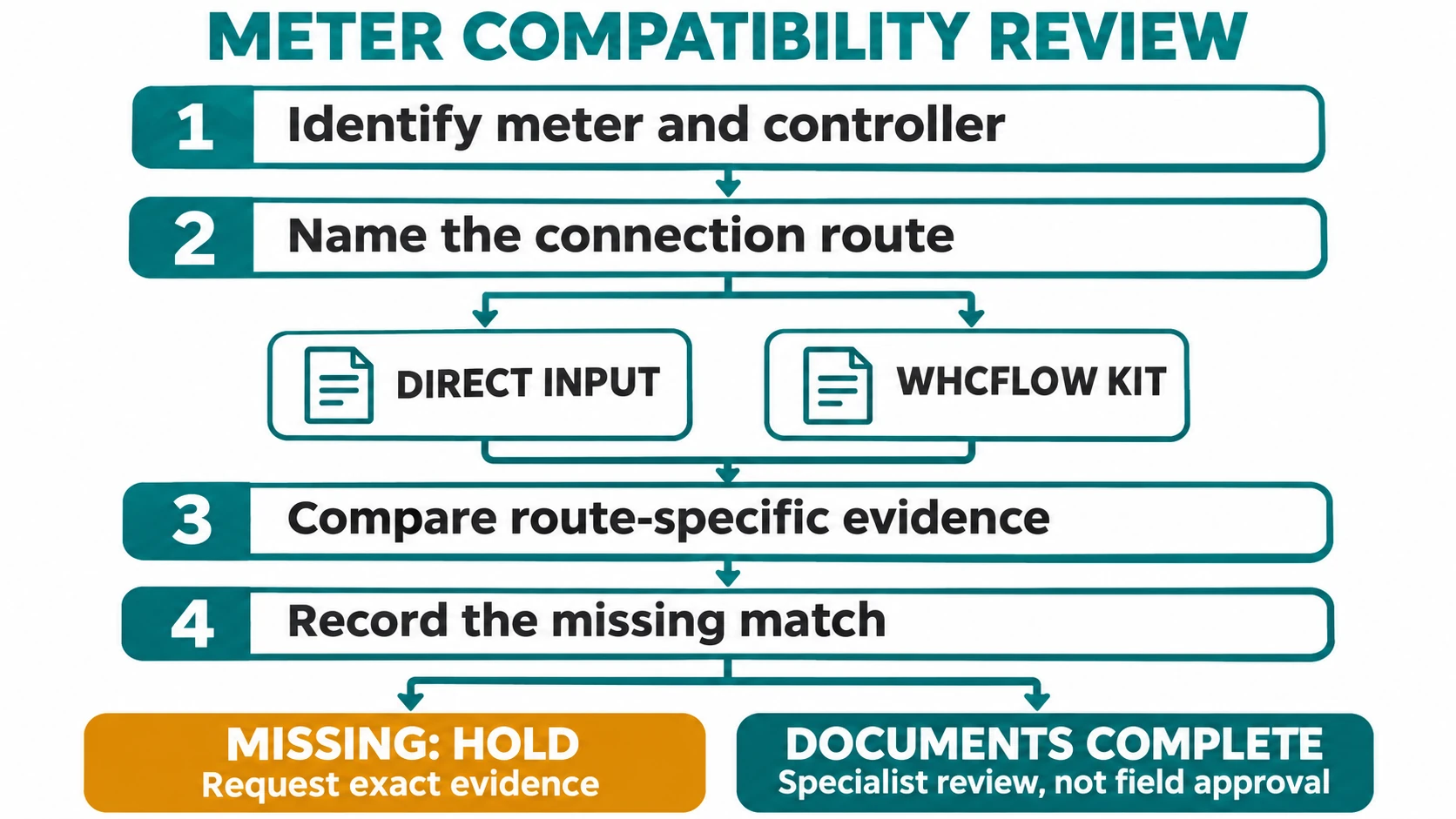
- Identify exact meter and controller
- Name direct input or wireless kit route
- Compare route-specific documents
- Missing match: HOLD and request evidence; complete document match: specialist review, not field approval
Conclusion
Before buying, name the route and create a separate compatibility record for it. For direct input, resolve the selected controller’s interface and the meter’s documented output and scale. For WHCFLOW, compare the exact proposed models with the kit’s published scope and obtain confirmation for any unestablished pairing. Retain specific holds until the named evidence arrives. That gives purchasing a usable next action without turning a pulse label into system approval.
Frequently asked questions
Does a Hydrawise custom sensor setting approve a third-party wireless pairing?
No. Direct sensor-input documentation does not establish compatibility with an added wireless kit.
Does absence from the cited WHCFLOW list prove a meter can never work?
No. It means that list does not establish the proposed pairing; obtain exact-combination confirmation.
Are Hunter’s stated pulse-rate aims universal limits?
No universal hardware limit is established here. Preserve the guidance’s wording and confirm the exact proposed system.